
Articles › Fixing a Stuck Book
How to Update or Relaunch a KDP Book Without Losing Your Reviews
Published 20 August 2026 · KDP Metric team
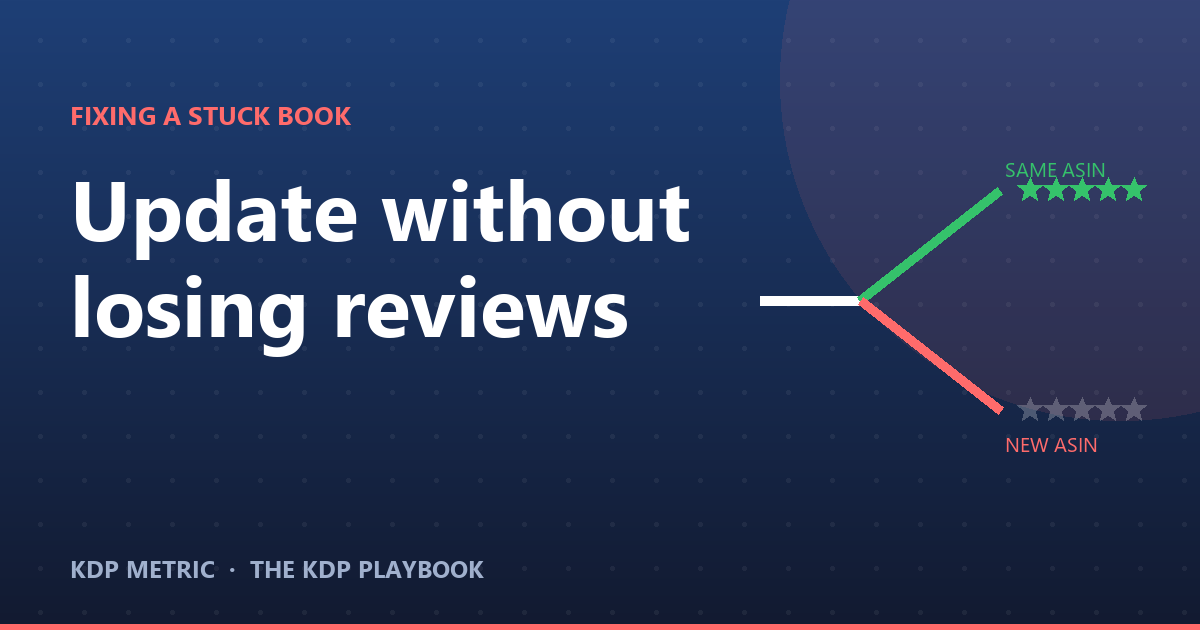
Somewhere between "my book needs a new cover" and "I'm relaunching this properly," a lot of authors accidentally do something much bigger than they meant to, and find out only when their review count resets to zero. The good news is that this is entirely avoidable, because Amazon documents exactly which changes are safe and which aren't. The bad news is that almost nobody reads that list before they need it.
Here's what's actually editable on a published KDP book, what's frozen the moment you publish, and where the line to a brand new listing actually sits — from KDP's own book-details help page.
The reviews live on the ASIN, not the book
The mechanic underneath everything here: a customer review belongs to a specific product listing, identified by its ASIN (Amazon Standard Identification Number), not to "your book" in the abstract. As long as an edit keeps the same ASIN, your reviews, ratings and Best Sellers Rank history stay exactly where they are, because nothing about the underlying product record changed. The moment a change forces a new ASIN, you're looking at a listing with zero reviews, whatever the old one had.
So the entire question of "will this cost me my reviews" is really just: does this edit keep the same ASIN?
What you can change freely, right now
These update in place, keep your ASIN, and touch nothing about your existing reviews or rank history:
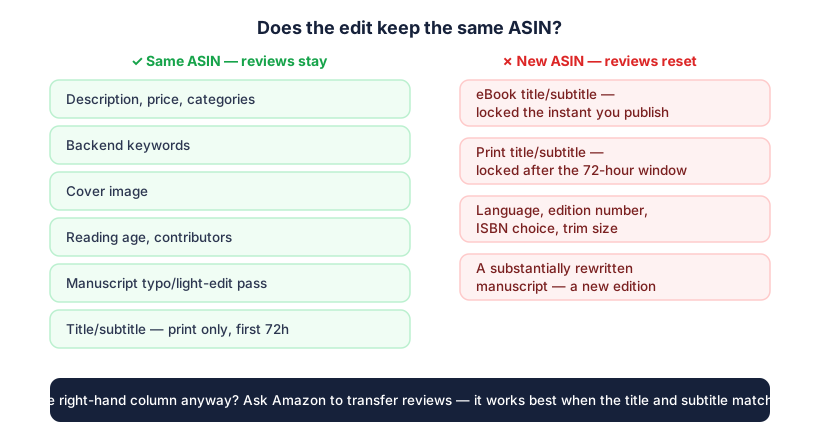
- Description, price and categories — categories typically take up to 72 hours to appear once changed; description and price changes land faster.
- Backend keywords — covered in full here, usually live within a couple of days.
- The cover image itself.
- Contributors, reading age, and Expanded Distribution (paperback/hardcover).
- Royalty rate and DRM setting (eBooks).
Every one of these is a routine "Edit book details" action from your Bookshelf. None of them starts a new listing, and none resets your rank history — Amazon's own guidance is explicit that a manuscript, cover or metadata update doesn't remove existing reviews and doesn't reset sales rank, because rank reflects recent sales activity, not your edit history.
 Add to Chrome — it's free
What locks, and when
This is where eBooks and print books genuinely diverge, and it's the part worth knowing before you publish, not after.
| Field | eBook | Paperback / hardcover |
|---|---|---|
| Title, subtitle | Locked the instant you click Publish. No grace period. | Editable for 72 hours after initial publication, then locked. |
| Primary author name | Locked on publish. | Editable for 72 hours, then locked. |
| Language, edition number, ISBN choice | Locked on publish. | Locked on publish. |
| Trim size, ink/paper type, imprint | N/A | Locked on publish (some paper-type switches for black/white titles are the exception). |
If you catch a typo in your subtitle ten minutes after publishing a paperback, fix it immediately — that clock is real and it is not generous.
What actually forces a new ASIN
Two routes lead here. The plain one: you try to change a locked field above, and your only option is to unpublish and create a fresh title from scratch. The less obvious one: you make content changes substantial enough that Amazon treats the result as a new edition rather than an update to the existing one — a genuinely different manuscript, not a typo pass or a light revision.
Either way, the result is the same shape: a new product listing, a new ASIN, and a review count starting at zero. Your old listing's reviews don't migrate automatically.
If you do need a new edition: the review-transfer option
Sometimes a new ASIN is the right call — a substantial rewrite, a move from self-published to a hybrid or small-press edition, or fixing a launch that was broken in a way no edit can reach. If you land there, there's a partial safety net: Amazon will consider transferring reviews from the old listing to the new one on request, and the detail that actually matters is that this goes much more smoothly when the title and subtitle on the new edition match the original release. Change everything at once — title, cover, description, category — and you've made it harder for Amazon's own systems to recognise the new listing as the same book asking for its history back.
If a new edition is coming, treat the review-transfer request as part of the plan from the start, not an afterthought you raise with support after the fact.
"Relaunching" usually doesn't need any of this
Here's the part worth saying plainly: most of what authors mean by "relaunch" — a new cover, a rewritten blurb, a price drop, a fresh ad push, re-picked categories — is entirely inside the safe list above. None of it touches your ASIN. None of it costs you a single review. The 10-point stuck-book diagnostic is built entirely out of same-ASIN changes, deliberately, because that's where almost every real fix lives.
Reach for a new edition only when the manuscript itself has genuinely changed, or when a locked field is wrong in a way no edit can touch. For everything else, the humble "Edit book details" button does the job, keeps your review count intact, and gets your changes live within days rather than restarting your listing from zero.
KDP Metric tracks a book's rank and price history over time for free, which is a handy way to confirm a metadata change actually moved something — without ever needing to touch a field that would put your reviews at risk in the first place.
Add to Chrome — it's free